9 Best Free Quoting Software Tools for Small Business (2026)

By QuotApp Team · Updated September 27, 2026 · Prices checked on vendors' pricing pages on that date

If you send a few quotes a month and want a PDF now, use a free generator; if you send quotes weekly, want to know when the client opened them and need e-signature, expect to pay $10–$50 per month. Below are nine tools with a usable free plan, free trial or open-source edition, compared on what a small service business actually needs: a professional itemized quote fast, automatic math, quote-to-invoice, and acceptance tracking. QuotApp is our own tool and is listed first with its limits stated.

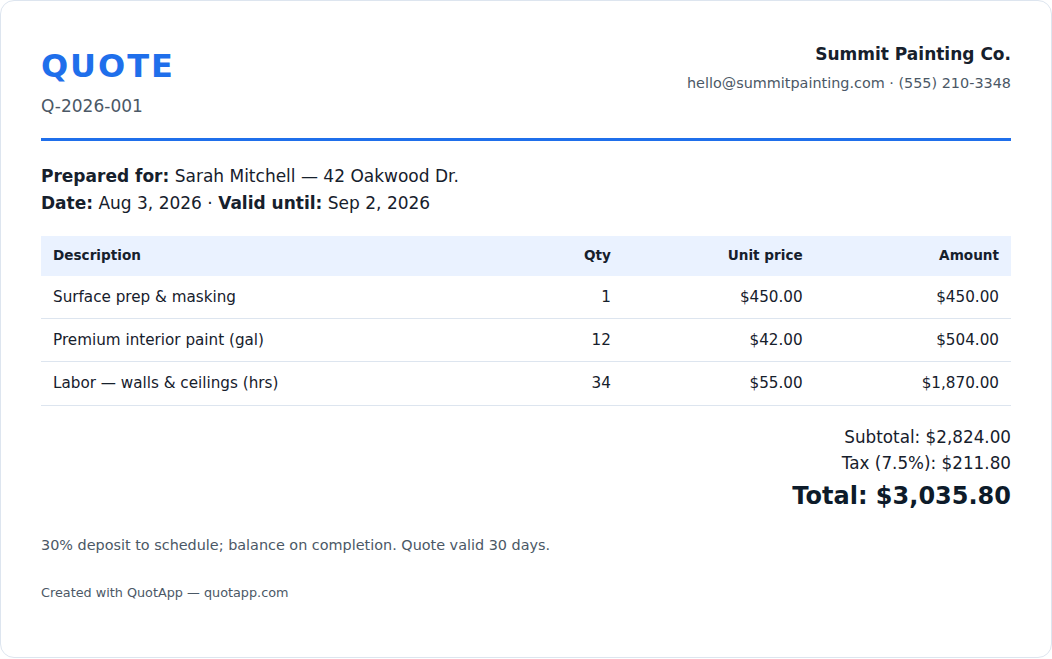
Itemized business quote produced by free quoting software — line items, quantities, tax and total
What every tool on this list produces: an itemized quote with quantities, unit prices, tax and total.

Comparison table

ToolFree planEntry paid priceBest forE-signatureQuote → invoice
QuotApp Quote Generator Free, unlimited, no account—Occasional quotes, instant PDF, privacy (nothing stored)NoManual (same document)
Wave Starter: unlimited estimates & invoicesPro $19/mo or $190/yrFreelancers who also want free bookkeepingNo (online acceptance)Yes
Zoho Invoice Free: quotes, 500 invoices/yr, 3 users, Zoho brandingUpgrade path via Zoho BooksSmall teams wanting a customer portal and remindersNo (accept online)Yes
Invoice Ninja · open source Hosted free up to 5 clients; self-hosted free (open source)Pro / Enterprise hosted plansTechnical users, agencies, self-hostingApprove & sign quotesYes
HubSpot Quotes (free CRM) Quotes inside the free CRM tools (HubSpot branding)Sales Hub Starter from $7/seat/mo annual ($20 monthly)B2B sales teams that live in a CRMPaid tiersVia payments/integrations
PandaDoc Free: 60 docs/yr, 5 e-signatures/mo (no quote builder)Starter $19/seat/mo annual; quotes from Business $49Proposals with e-signature and rich mediaYes, all plansIntegrations
Joist 14-day trial only (no free plan since 2025)Basics $10/mo (5 docs), Pro $17, Elite $32Home-service contractors on mobileYesYes
Jobber 14-day trialCore $49/mo monthly ($21/mo first year annual, then $29)Field service businesses needing scheduling + quotesYesYes
Quotient 21-day trialSolo $28/mo; Team $48/mo (2–5 users)Interactive quotes with optional items and acceptance trackingOnline acceptanceIntegrations (Xero, QuickBooks)

1. QuotApp Quote Generator — free, no account, nothing stored

Our own tool. Type business and client details, add line items, set tax and terms, download the PDF. It is completely free with no sign-up and no watermark, and nothing you enter is uploaded — which is also its limitation: there is no saved history, no logo upload yet and no tracking of whether the client opened the quote. It is the right choice for occasional quotes, privacy-sensitive work, or when you need a document in the next two minutes. Open the quote generator or start from an industry quote template.

2. Wave — free estimates and invoices with bookkeeping

Wave's Starter plan is free and includes unlimited estimates, invoices, bills and bookkeeping records; you pay only card-processing fees (2.9% + $0.60 per transaction on Starter). Estimates convert to invoices in a click and clients can accept online. The Pro plan ($19/month or $190/year at the time of checking) removes the per-transaction fixed fee on the first ten payments a month and adds features. Best for freelancers and very small businesses who want quotes and books in one free tool.

3. Zoho Invoice — free with quotes and a customer portal

Zoho Invoice is free: quotes, up to 500 invoices a year, three projects, up to two additional users, automated reminders and a customer portal, with "Powered by Zoho Invoice" branding on documents. Quotes convert to invoices and integrate with the wider Zoho suite. Best for small teams that want polish and reminders without a subscription; the constraint is the branding and the invoice cap.

4. Invoice Ninja — open source, self-host for free

Invoice Ninja offers a hosted free plan (free forever for up to five clients, per its site) and an open-source edition you can host yourself with no client limit. Quotes can be approved and signed by clients online and converted to invoices; it supports many payment gateways. Best for technical users and agencies comfortable running a server, and the strongest answer to "open source quoting software".

5. HubSpot Quotes — quotes inside a free CRM

HubSpot's free CRM tools include a quotes builder that pulls contacts, companies and deals into a branded quote page; free quotes carry HubSpot branding. Sales Hub Starter, which lifts limits and branding, starts at $7 per seat per month billed annually ($20 monthly) at the time of checking. Best for B2B teams that already track deals in a CRM and want quotes attached to them.

6. PandaDoc — proposals with e-signature; quotes on paid tiers

PandaDoc's Free plan covers 60 documents a year and five e-signatures a month with real-time tracking, but the quote builder (pricing tables with optional items) starts at the Business plan ($49 per seat per month, annual). Starter is $19 per seat per month. Best for businesses whose quotes are really proposals — multi-page, signed, with rich media — and who send enough of them to justify the seat price.

7. Joist — contractor estimates on mobile (trial only)

Joist dropped its free plan; all users get a 14-day trial, then Basics at $10/month (up to five documents a month), Pro at $17, Elite at $32 and Run at $70 (introductory). Estimates convert to invoices, clients can pay online, and the mobile app is built for the truck. Best for home-service contractors who quote on site.

8. Jobber — field service with quotes, scheduling and invoicing

Jobber's Core plan includes professional quotes with templates and signature approval plus scheduling and invoicing, at $49/month billed monthly or $21/month for the first year on an annual plan (then $29) at the time of checking; a 14-day trial runs on the Grow plan. Best for field-service businesses that need dispatch and client communication as much as quoting.

9. Quotient — interactive quotes with optional items

Quotient is quote-only software: build quotes with optional and multiple-choice items, send a link, see when the client views it, and get acceptance online. Solo is $28/month, Team $48/month for two to five users, with a 21-day free trial and no card required. Best for businesses that win on presentation and options rather than volume.

Also considered

  • Square Invoices — the free plan does not include estimates; they arrive with Square Plus at $49/month per location. Good if you already take Square payments.
  • Odoo Community — the open-source edition of Odoo; its Sales app handles quotations and orders. Powerful, but an ERP-scale setup for a quoting need.
  • Word, Excel and Google Docs templates — still the most used quoting tool in small business. Our free quote templates include industry versions with filled-out examples.

How to choose

  • Under 5 quotes a month: free generator or a template. Nothing to learn, nothing to pay.
  • 5–30 quotes a month, solo: Wave or Zoho Invoice if you also invoice; Quotient if you win on options and tracking.
  • Field crews: Jobber or Joist — quoting is a feature of scheduling and dispatch.
  • B2B with a sales pipeline: HubSpot quotes inside the CRM; PandaDoc when quotes are proposals that need signatures.
  • Want to own the software: Invoice Ninja self-hosted.

Whatever you pick, the quote itself should follow the same structure: itemized lines with quantities, tax, total, validity and terms. The guide to writing a quote and the standard quotation format apply to every tool above.

Frequently asked questions

What is the best free quoting software for a small business?

For a finished PDF with no account, the QuotApp quote generator. For free quotes plus invoicing and bookkeeping in one place, Wave's Starter plan or Zoho Invoice. For a free tool you can host yourself, Invoice Ninja. "Best" depends on whether you need quote tracking and e-signature — those are where the paid tools earn their fee.

Is there open source quoting software?

Yes. Invoice Ninja (quotes, invoices, client approval; self-hosted for free) and Odoo Community (the open-source edition of Odoo, whose Sales app handles quotations) are the two mature options. Both need a server or a hosting provider; both save the monthly fee in exchange for setup time.

What features actually matter in quoting software?

Speed to a professional PDF, saved line items and templates, automatic math, a validity date, quote-to-invoice conversion, and knowing when the client opened or accepted the quote. E-signature and integrations matter once you send more than a few quotes a week.

Do I need CPQ software?

Almost never for a service or trade business. CPQ (Configure, Price, Quote) is enterprise software for complex product catalogs with pricing rules and approval workflows. The tools above are simpler, cheaper and faster for itemized service quotes.

Can I just use Word or Excel?

Yes — a good template covers most small businesses for years. Our quote templates for Word, Excel and Google Docs include industry versions with line items and examples. Move to software when you lose track of what you sent, or when clients ask to accept and pay online.

How were these tools compared?

We checked each vendor's public pricing page on the date shown at the top of this article and recorded the free plan, entry price and quote-related features as stated. Prices change; verify before buying. QuotApp is our own tool and is listed first with its limitations stated.

Try the free option first

Build an itemized quote and download the PDF — no account, nothing stored, under a minute.

Create a free quote now