Free Estimate Template for Word
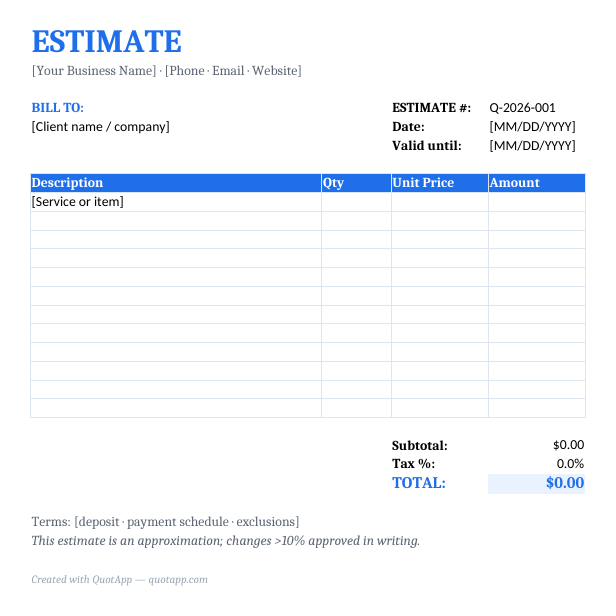
A estimate template for Word is a pre-formatted document you can fill in with your business details, line items, prices and terms — then send to your client in minutes. Download the free template below or generate a estimate online with QuotApp.
⬇ Free download — no sign-up
Create this estimate online — free Browse all templates
What's included in this template
- Fully editable in Word
- Line items, quantities, unit prices, taxes and totals
- Space for your logo, business details and payment terms
- Estimate number and validity date fields
- Print-ready and PDF-export friendly
How to use it
- Download the template or open the online estimate maker.
- Add your business name, logo and contact details.
- Fill in your client's details and a unique estimate number.
- List each item or service with quantity and unit price — the totals do the talking.
- Set a validity date, add your terms, export to PDF and send it.
Frequently asked questions
How do I use a estimate template in Word?
Download the file, open it in Word, replace the placeholder business details with your own, add your line items and prices, then save it as a PDF and send it to your client.
Is this estimate template really free?
Yes. Every template on QuotApp is free to download and use commercially, with no sign-up required.
Can I add my logo and branding?
Yes — every template includes a header area for your logo, business name and contact details.
Related estimate templates
Skip the template. Build it online.
The free QuotApp quote maker fills in the math, formats everything professionally, and gives you a ready-to-send PDF in under a minute.
Create a free quote now